









Fortnite has been making a lot of players happy since 2017 with its addictive gameplay and vibrant universe of characters. However, Epic Games is not known for making things easy for players. Players who have ever had to unlink an old Epic Game from a console to link a new one know the pain all too well. Players have long since wondered on how to remove restrictions on your fortnite account.
For some reason, the gaming company makes it next to impossible. Of course, it’s not like players can ignore the error message and move on with their lives. Maybe you messed up and linked the wrong account before or you simply want to add your Fortnite account to your brother’s old PC.
Either way, it’s a frustrating situation, but before you decide to sharpen your pitchforks and show up at Epic Games’ front door, hear us out. There is a solution. We’ll explain exactly how you can remove restrictions on your Fortnite account.
Understanding the Problem Before You
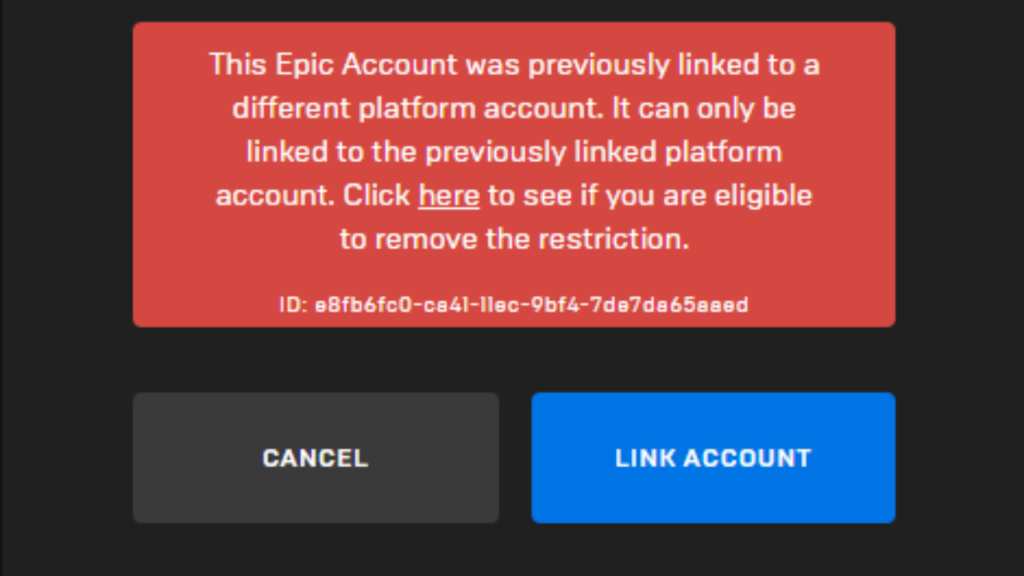
Epic Games enforces a strict policy that prevents users from linking a new platform account to their existing Epic Games account if they’ve previously linked the account to the same platform.
This means that if, for instance, you had your Epic Games account linked to a PlayStation 4 account in the past, attempting to link a different PS4 account to it will result in an error message. The error message itself can be quite frustrating for users attempting to make changes to their account setup.
When you encounter this issue, you might initially assume it’s a mistake on Fortnite’s part and try again, only to be met with the same error page. What’s concerning is the wording of the error message. It suggests that the platform can only be linked to the previously associated platform account.
A Step-by-Step Guide on How to Remove the Fortnite Restriction
Rest assured, there is a solution to this challenge, and it’s actually provided directly by Epic Games. To remove the restriction on your Fortnite account, simply follow these steps to a tee:
Step 1: Unlink The Old Platform
First of all, you’ll need to unlink your old account from the platform. It’s a three-step process. First, sign into your Epic Games account. Navigate to the “Connected Accounts” page within your Epic Games account. You can usually find this option in the account settings or profile section.
On the “Connected Accounts” page, you’ll see a comprehensive list of all the platforms linked to your Epic Games account. Locate the platform you wish to unlink, click on the “Remove” option next to it and you are done.
Step 2: Remove Restriction
Once you have unlinked your account, you can head to the Remove the Restriction webpage. Here you will see whether your account is eligible for removing the restriction or not. In case you are, it is as simple as clicking on the Remove button.
Step 3: Linking Your New Account

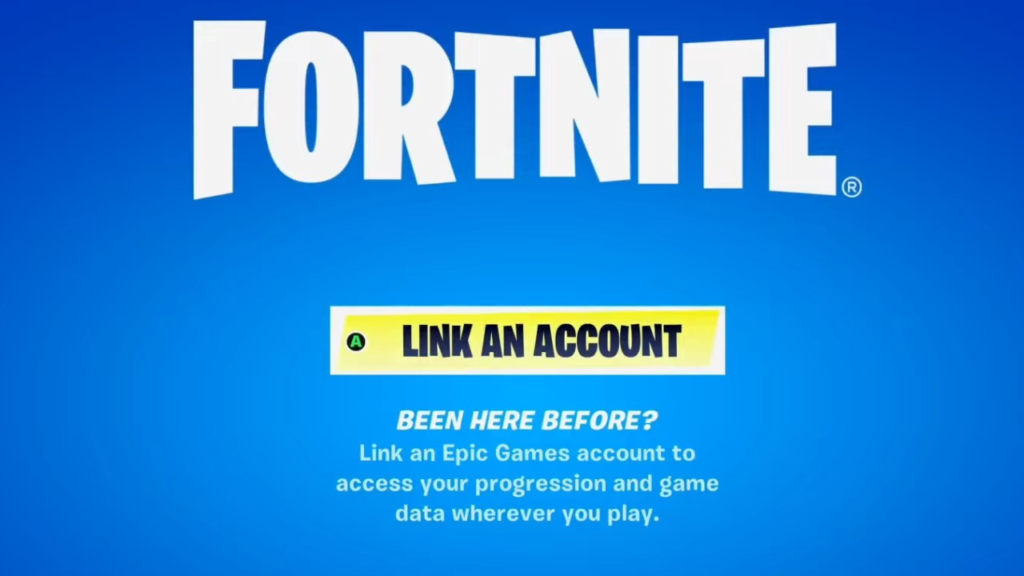
Now that the hard part is over, the only thing that is left to do is to link your new account. Simply launch Fortnite on your console. You will be greeted with the Welcome screen and a Link your account option. Click on the option and you will be taken to a new page.
Here you will be provided with a code, valid for only 10 minutes. Once you have the code, you will need to open the website on another computer or your phone. Enter the code, click on Continue, and sign in to your Epic Games account.
You will be greeted with a confirmation message next. Simply click OK and you can start kicking some Fortnite butt on your console.
A Few Things To Keep in Mind

While the entire process is a piece of cake, there are a few things you need to keep in mind.
- Time limit: The option to remove the restriction on your Fortnite account can only be availed once every 365 days according to the company’s policy. If you try to relink a new account to the platform, you will be greeted with a countdown, instead of the Remove button. This means that for a year, you will be stuck with your old account.
- Fortnite Crew Subscriptions: While your game progress will safely be transferred to your console, the same can’t be said for your Fortnite Crew subscriptions. Unlinking your old account means that you can say goodbye to receiving Battle Passes, V-Bucks, and Crew Packs in your Epic Games account every month.
The best way to go about this is to Turn off recurring billing. The method will vary depending on the type of console you’re playing on. You can set up the subscription again once the new account is up and running.
Also, remember to turn off recurring billing. Fortnite offers a second option where you can request a refund on a recent purchase. But if you go with that, the items you spent your money on will no longer be available.
Conclusion
All in all, Epic Games has been cursed online a few times for making it impossible to link a new Fortnite account to an old console. Fortunately, the gaming company has not created a completely impossible situation. You will first have to unlink your account and then head to the webpage to remove the restriction.
Remember that Epic Games only offers the chance to remove the restriction once a year. Once you are done here, you can link your new account using a specific code. And with that, you’re all ready to battle hordes of Husks in Save the World mode and outbuild opponents in Battle Royale on your shiny new console.
If you’ve got any more queries, shoot them down in the comment section and we will be happy to get back to you. Happy Gaming!
Read How to Get Aerial Assault Trooper in Fortnite? for more.